
How WiFi Heatmap measures your Wi-Fi, and what it can't see
No magic and no dBm: the probes, the formula and the limits behind the map, taken from how the app really works.
In this guide
WiFi Heatmap is an iPhone app made by TopCycle, a company based in Italy. This page explains how it arrives at a colour on your floor plan, including the things it can't tell you. You can use it to judge any result you get from the app, or from any other tool.
Why the app doesn't show dBm
iOS doesn't give ordinary App Store apps the radio signal level. There is a system property that looks like the right one, but without a special Apple permission it returns a fixed value. Used as it is, it would make every spot in the home look the same.
The app checks for this while it runs: it ignores that value unless it actually changes between readings. So the map is based on something an iPhone can measure honestly, which is how the connection behaves.
What is measured at each point
As you walk, the app opens quick connections to your router and times them. Each point gets a burst of three probes, and points are at least 40 cm apart. From each burst it keeps three numbers:
- Response time: the median round trip to the router.
- Variation: how far the probes stray from that median. A struggling Wi-Fi link retransmits, and this number climbs early.
- Unanswered requests: probes that got no reply within 0.7 seconds.
A timeout only counts once the router has already answered on that connection. If the phone is offline or local network permission is off, the point isn't measured at all, so a permission problem can't paint a false dead zone.
How the score out of 100 works
Each number becomes a value between 0 and 1, and those are averaged with these weights:
| Component | Share of the score | Best | Worst |
|---|---|---|---|
| Response time | 58% | 5 ms | 120 ms |
| Variation | 25% | 0 ms | 40 ms |
| Unanswered requests | 17% | 0% | 100% |
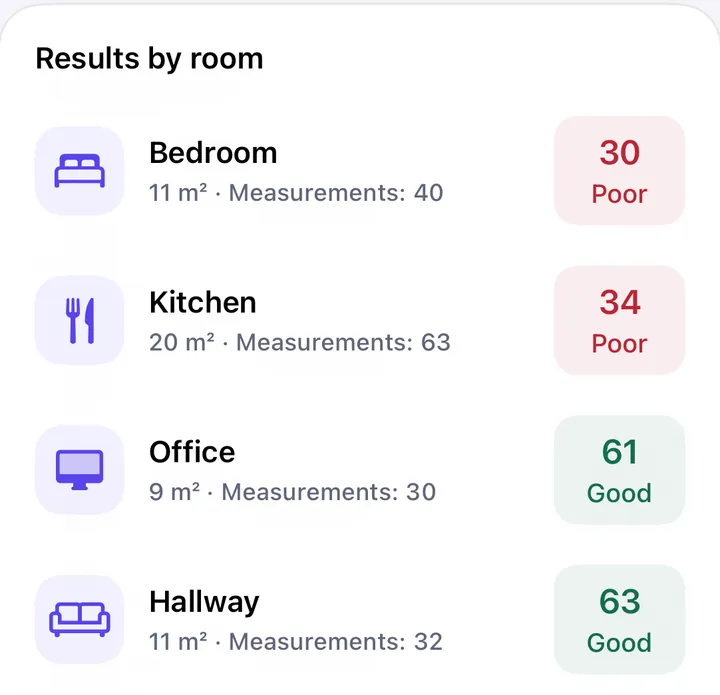
The result gives the label on the map: 80 and above is excellent, 60 to 79 good, 40 to 59 fair, 20 to 39 poor, below 20 very poor. These thresholds are our own design choices, not an industry standard.
How the colours between points are filled in
The floor plan comes from ARKit, using the camera and motion sensors, so no LiDAR is needed. Position drifts by roughly 1 to 3% of the distance walked, and the plan is then squared up to absorb most of that error.
Colours between points are an estimate. The app uses inverse distance weighting: nearby measurements count more than distant ones, on a 20 cm grid, up to 5 m away. Anywhere further than 2.5 m from a measurement stays grey, because a guess that far out wouldn't be worth showing.
What the map can't tell you
- It isn't a speed test. A room can score well while your internet line is slow, because the probes stop at the router.
- It isn't a radio measurement. The score reflects how the link behaves, which also depends on interference and on how busy the network is at that moment.
- It doesn't know your walls. The estimate between two points ignores what lies between them, so take points on both sides of a thick wall.
- It only sees the band and node you're connected to. To compare bands, connect to each one and measure separately.
- Scores compare best within one home. Use the same phone, at the same time of day, and treat a difference of a few points as noise.
About the images on this site
The app screenshots in our guides use demo data: invented homes and sample measurements, designed to show how to read a result. They aren't surveys of real homes, and we label them as examples. Your own numbers will differ.
Who we are
WiFi Heatmap is developed by TopCycle in Italy. There's no account, and floor plans stay on your iPhone; the details are in the privacy policy. If something on this page looks wrong, please tell us.